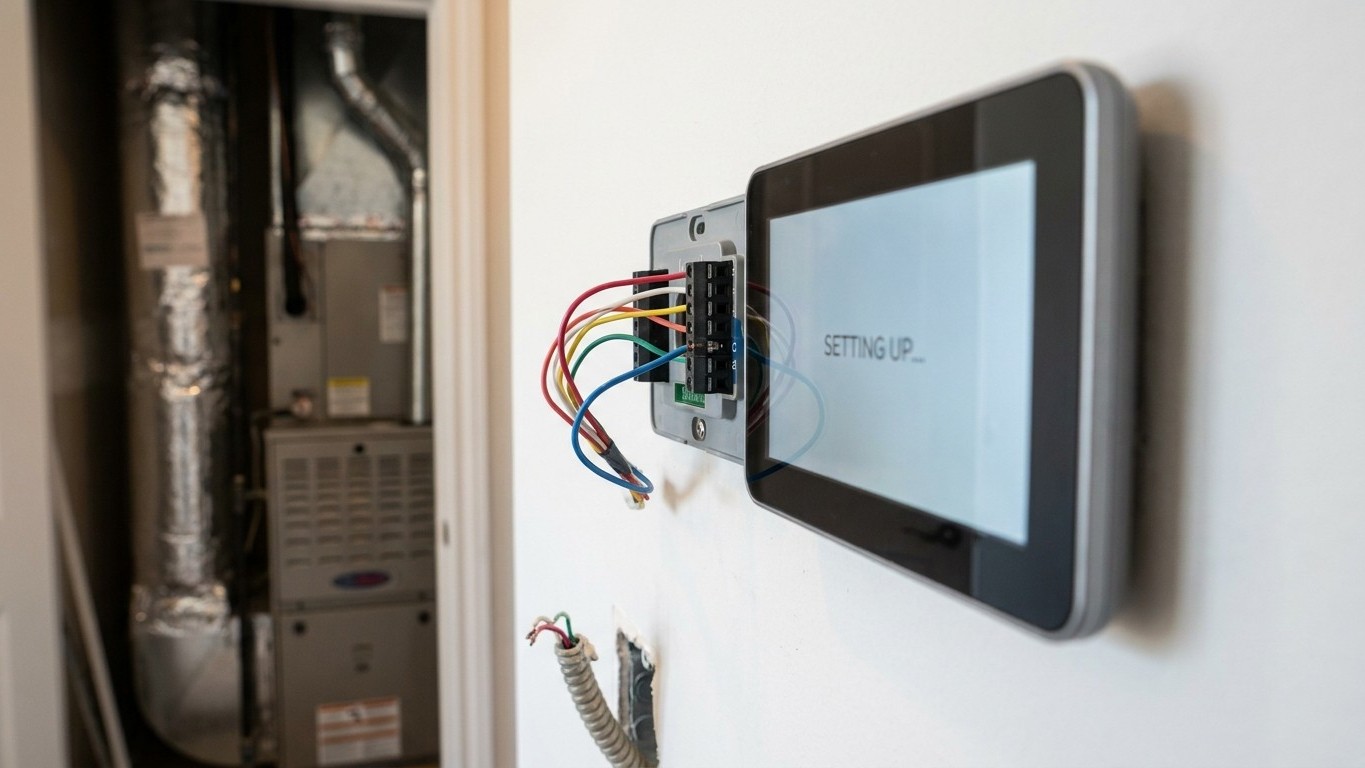

A common wire, also called a C-wire, is a low-voltage conductor that gives a Thermostat constant power so its screen, Wi-Fi radio and processor can run around the clock. Older mechanical thermostats didn’t need one because they only opened and closed a switch. If your system has no C-wire, you have three practical paths: use an existing spare wire, install a small adapter that shares power with the existing wires, or run new cable. Each comes with a different level of effort and risk.
What a common wire is for
Every Thermostat wire in a residential system carries a signal at roughly 24 volts. Most of those wires tell the equipment to do something: call for heat, call for cooling, run the fan. A single wire in that bundle does something different. It doesn’t instruct anything. It completes a circuit so the Thermostat itself has a steady source of power, the same way a wall outlet keeps a lamp lit whether or not you’ve flipped the switch.
That distinction matters because it explains why a simple dial thermostat from decades ago never needed a C-wire and a modern smart thermostat almost always does. A mechanical unit with a bimetallic strip and mercury switch consumed essentially no power of its own. It just closed a connection when the room dropped below a set point, and the furnace or air handler did the rest. Some early electronic thermostats managed without a dedicated common wire by borrowing tiny amounts of current from the call-for-heat or call-for-cooling wire whenever the system was idle, then releasing it when a call came through. That trick worked because the draw was so small it didn’t interfere with the equipment.
A thermostat with a full-color display, a backlight, a Wi-Fi chip and a small onboard computer draws far more current than that borrowing trick can reliably supply. Without a continuous return path, the screen may flicker, the device may reboot itself, or the Wi-Fi connection may drop at random. None of that is a defect in the thermostat. It’s a power supply problem, and the fix is a power supply, not a software update.
Here’s the part worth sitting with: the C-wire carries no command at all. It doesn’t tell the furnace to fire or the compressor to start. It only keeps the thermostat’s internal electronics alive so that when a command does need to go out on one of the other wires, the thermostat is actually awake to send it. Confusing the two is the single most common misunderstanding people bring to this topic, and it’s why some troubleshooting attempts go sideways: someone assumes the C-wire is involved in a heating or cooling malfunction when the actual fault sits somewhere else in the system entirely.
Finding out what you have
Before touching any wire, cut power to the heating and cooling system at its dedicated switch or at the breaker panel. Low voltage on the thermostat wires won’t shock you, but many thermostats also pass through or interact with Line-Voltage components inside the equipment cabinet, and there’s no reason to take a chance you don’t need to take.
- Turn off the system at its switch or breaker.
- Remove the thermostat’s cover or pull it off its wall plate, exposing the terminal screws.
- Photograph the terminals clearly before disconnecting or moving a single wire.
- Note which letters have a wire connected, and which terminals sit empty.
- Check the equipment end too, since a wire visible at the wall doesn’t confirm it’s actually connected at the furnace or air handler.
Photograph first. That’s the single most useful instruction on this page. A reader who disconnects wires from memory, planning to reconnect them the same way, routinely gets at least one wrong. A wrong reconnection at this stage doesn’t usually damage anything, but it can leave a system that won’t heat, won’t cool, or won’t do either, and now there’s a second problem layered on top of the first one.
The letters stamped near each terminal are fairly standardized across residential systems, though wire colors are not. A red wire is often connected to R, but installers sometimes use whatever color was on the spool that day, so trust the letter, not the color.
| Terminal | What it does |
|---|---|
| R | 24-volt power supply from the transformer |
| W | Calls for heat |
| Y | Calls for cooling (compressor) |
| G | Runs the fan |
| C | Common wire, continuous return for thermostat power |
Seeing an unused wire coiled inside the wall plate, sometimes capped with a small connector and tucked out of the way, doesn’t prove it’s usable. It might be a spare conductor from the original installation that was never connected at the furnace end, or it might be there for a feature the system doesn’t currently use, like a second stage of heat. The only way to know is to trace it, or to have someone qualified check continuity at both ends. A wire that looks promising at the thermostat and turns out to be a dead end at the equipment is a common and frustrating discovery, so treat it as a lead worth checking, not a confirmed fix.
The options when there is no C-wire
When the wall plate genuinely has no spare conductor and no C-wire, homeowners generally choose from four paths. Each trades effort against risk differently, and none of them is universally the right answer.
| Option | Effort | Risk |
|---|---|---|
| Repurpose an existing unused wire | Low, if a spare is confirmed usable at both ends | Low, once continuity is verified |
| Install a power-sharing adapter | Low to moderate, small device added at the equipment | Compatibility varies by system type; not universal |
| Run new low-voltage cable | High, may require fishing wire through walls | Low once installed correctly; most durable fix |
| Choose a thermostat built to run without a C-wire | Low, no new wiring needed | Some models still draw borrowed power intermittently on certain systems |
The power-sharing adapter deserves a closer look because it’s the option most often marketed as the easy fix. These small devices sit near the furnace or air handler and create a common wire out of existing conductors, without running new cable. They work well on many conventional gas furnace systems. They’re less consistently reliable on heat pumps, on systems with certain zoning setups, or on equipment where the manufacturer explicitly doesn’t support that kind of power borrowing.
Thermostats advertised as C-wire-free deserve the same scrutiny. Some genuinely manage on battery power alone. Others use the same borrowing trick that older electronic thermostats relied on, drawing tiny amounts of current from the call wires whenever the system is idle. That approach is the actual source of the intermittent, hard-to-pin-down faults that make this whole topic worth writing about: a furnace that short-cycles for no obvious reason, a thermostat display that blanks out at random, a smart feature that drops offline every few days. None of those symptoms point clearly back to a power-borrowing thermostat, which is exactly why they’re so aggravating to chase down. If a system starts behaving strangely shortly after a thermostat swap and there’s no dedicated C-wire in the picture, that connection is worth ruling out early rather than last.
Running new cable is the least glamorous option and the most durable one. It doesn’t rely on any electrical trick, and it removes the guesswork entirely. It also means opening a wall path between the thermostat location and the equipment, which is more labor than most homeowners want to take on themselves, especially in a finished basement or a two-story layout where the mechanical room sits far from the thermostat.
Where to stop
Low-voltage thermostat wiring isn’t line voltage, and that fact tends to make people more relaxed about it than they should be. The forgiveness only goes so far. A wire connected to the wrong terminal at the equipment end, especially on a control board that manages multiple stages of heating or cooling, can damage that board. Control boards aren’t cheap to replace, and on some systems they aren’t quick to source either.
Heat pumps raise the stakes further. They typically have more terminals than a conventional furnace and air conditioner setup, because they need to manage a reversing valve, sometimes auxiliary heat strips, and defrost cycles on top of the standard heating and cooling calls. A miswire here doesn’t just fail to work, it can put the system into a state that runs the reversing valve against the compressor, or trips a defrost cycle that never clears. That’s not a battery-and-a-screwdriver problem anymore.
The point where a homeowner should hand this off isn’t about confidence with a screwdriver. It’s about what’s on the equipment side of the wall. Identifying terminals, photographing before disconnecting, and confirming which wires are live at the thermostat are all reasonable DIY steps. Opening the equipment cabinet, tracing wire continuity through the wall, or making any connection at the furnace, air handler or heat pump’s control board is where a licensed HVAC technician should take over. The cost of that visit is small compared to a replacement control board, and it’s smaller still compared to a system that won’t run correctly through the next heat wave or cold snap.
Common questions
Can I add a C-wire without opening the equipment cabinet?
Not reliably. Repurposing a spare conductor or running new cable both require confirming or making a connection at the furnace or air handler, which means opening that cabinet at some point, even if briefly.
Will a missing C-wire stop my system from heating or cooling?
Usually not directly. The C-wire powers the thermostat, not the heating or cooling call. A missing C-wire is more likely to cause display glitches, lost Wi-Fi connections, or unexplained restarts than a complete failure to heat or cool.
Is it safe to just try connecting a spare wire and see what happens?
Only after cutting power to the system and confirming the spare wire is actually connected at both ends. Connecting a wire that isn’t wired through at the equipment accomplishes nothing, and connecting the wrong wire to the wrong terminal risks damaging the control board.
Does every smart thermostat need a C-wire?
No. Some are designed to run on battery power or on a small internal power reserve. Others use power-borrowing methods that work fine on some systems and cause intermittent problems on others, which is why checking your specific equipment matters more than checking the thermostat’s marketing claims.